Loading…
WooCommerce
Shipped ProductFarming Veggies at Home: a WooCommerce shop designed in Figma and built as a block theme
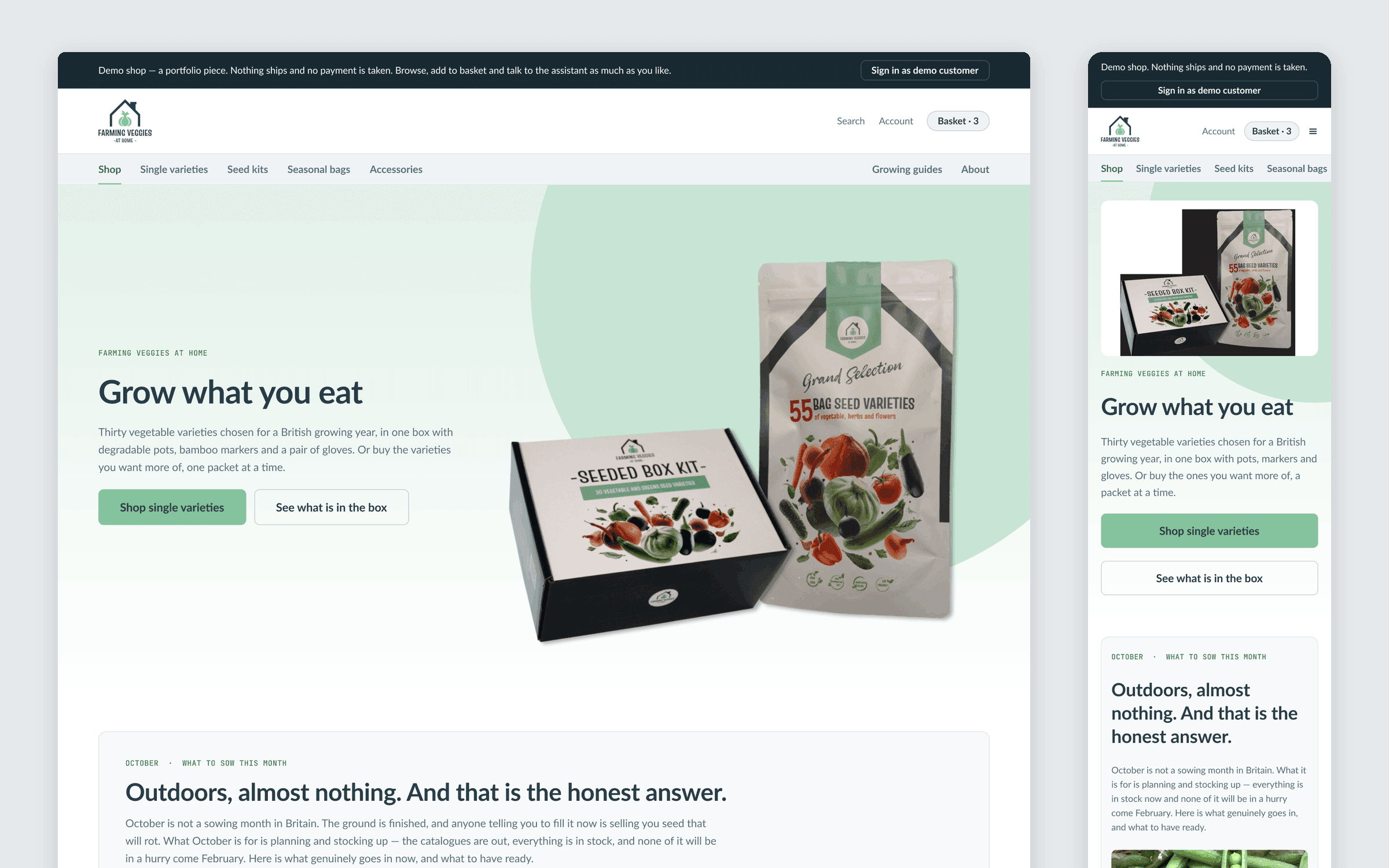
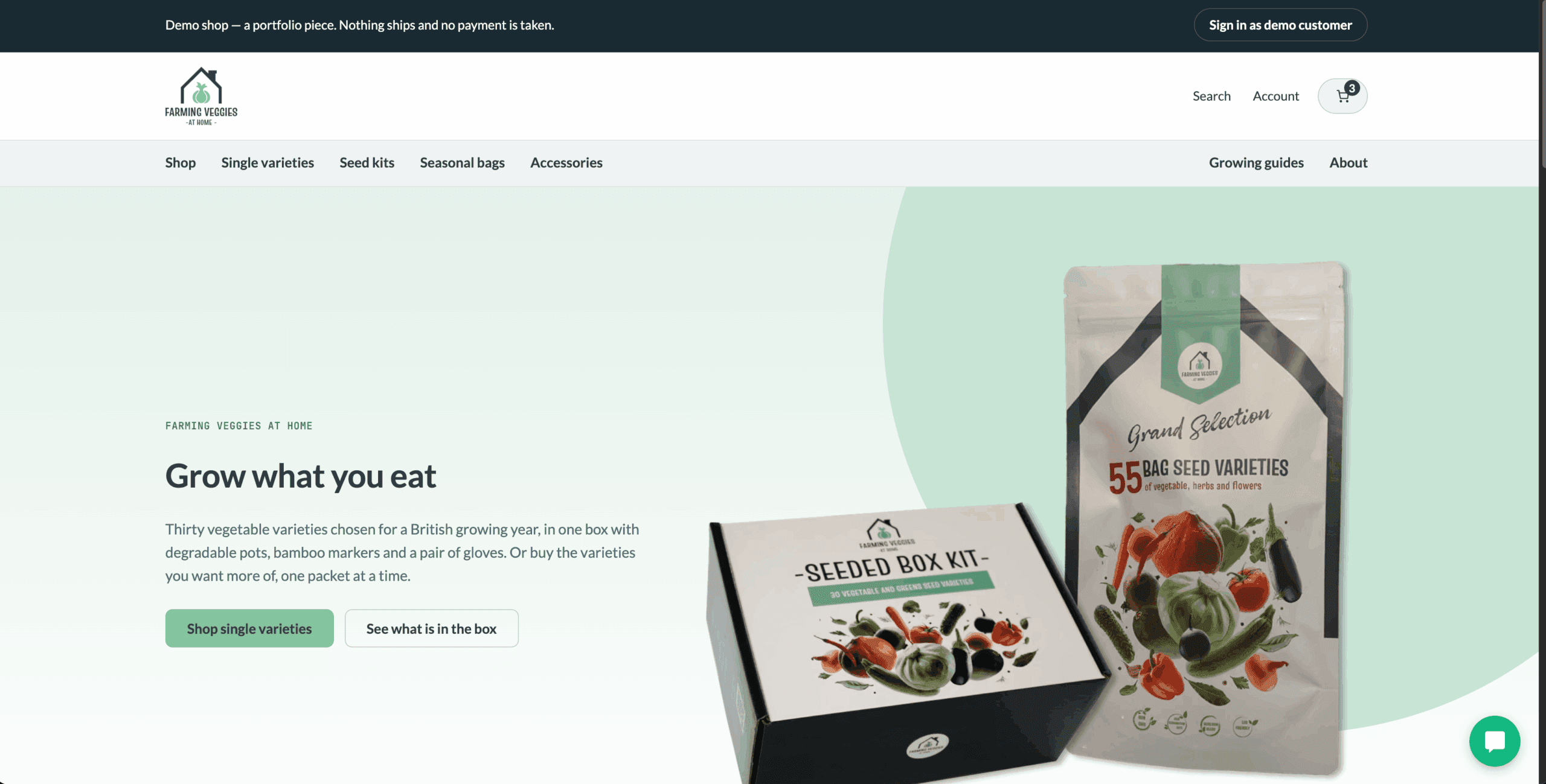
A working WooCommerce demo shop I designed and built end to end: a brand system in Figma, a block theme generated from its tokens, a catalogue organised by when you sow, and the Trill AI Chat assistant answering from all of it.
WordPress 7.1WooCommerce 11.1Block themetheme.jsonFigmaSassPHPTrill AI Chat
92 → 99
Lighthouse performance, desktop
21
products with sowing data
8
growing guides tied to products
1 click
to a demo customer with sample orders
Disclosure: I built this shop, and I also build and run the plugin it exists to show — Trill AI Chat, published by Greensolutions Pioneers Limited. The brand belonged to a seed business I used to run. There is no client here, so I have held it to the standard I would hold client work to, including the parts that did not work first.
In short
- Situation: I needed a public WooCommerce shop realistic enough to test an AI shop assistant on, and designed well enough to stand as evidence of my own front-end work.
- Approach: a design system and desktop and mobile screens in Figma first, then a custom block theme whose
theme.jsonis generated from the Figma tokens, on WordPress 7.1 and WooCommerce 11.1. - What is live: 21 products, eight growing guides, a sowing calendar on every variety, a working basket, a test-mode checkout and a one-click demo customer with sample orders, at demo.trillai.io.
- Outcome: a first performance pass took the home page’s Lighthouse performance score from 92 to 99 on desktop and from 67 to 77 on mobile — with mobile still short of 90.
- Transferable to: any WooCommerce build where the catalogue has to answer questions — from a customer or from an assistant — rather than just list products.
The situation
Farming Veggies at Home sold vegetable seed: a thirty-variety box with pots, markers and gloves, packaged and photographed as its own brand. The business no longer trades, but the name, the logo, the packaging and the photography are mine, and so is what I learned selling it.
Separately, I build Trill AI Chat, a WooCommerce assistant. A chatbot demo that answers questions about the chatbot proves very little. To show it properly I needed a shop with a real catalogue, real policy pages and orders to look up. And because the same page is also evidence of my own work, the shop had to be designed, not assembled.
So the brief had two jobs. The assistant needed something worth answering from. And a visitor who never touches the chat should still find a considered piece of design and WooCommerce engineering.
Why the obvious approach didn’t fit
The obvious move was to revive the old shop: it had the brand and a working WooCommerce install. I audited it before deciding. It ran on Flatsome, a commercial theme, with a child theme whose stylesheet was 303 bytes — effectively empty. The layout was Flatsome’s, not mine; most of the published pages were the theme’s own demo content; and the catalogue was a single product with no variations. Reusing it would have put another designer’s visual language on the piece meant to show mine. I kept the brand and dropped the build.
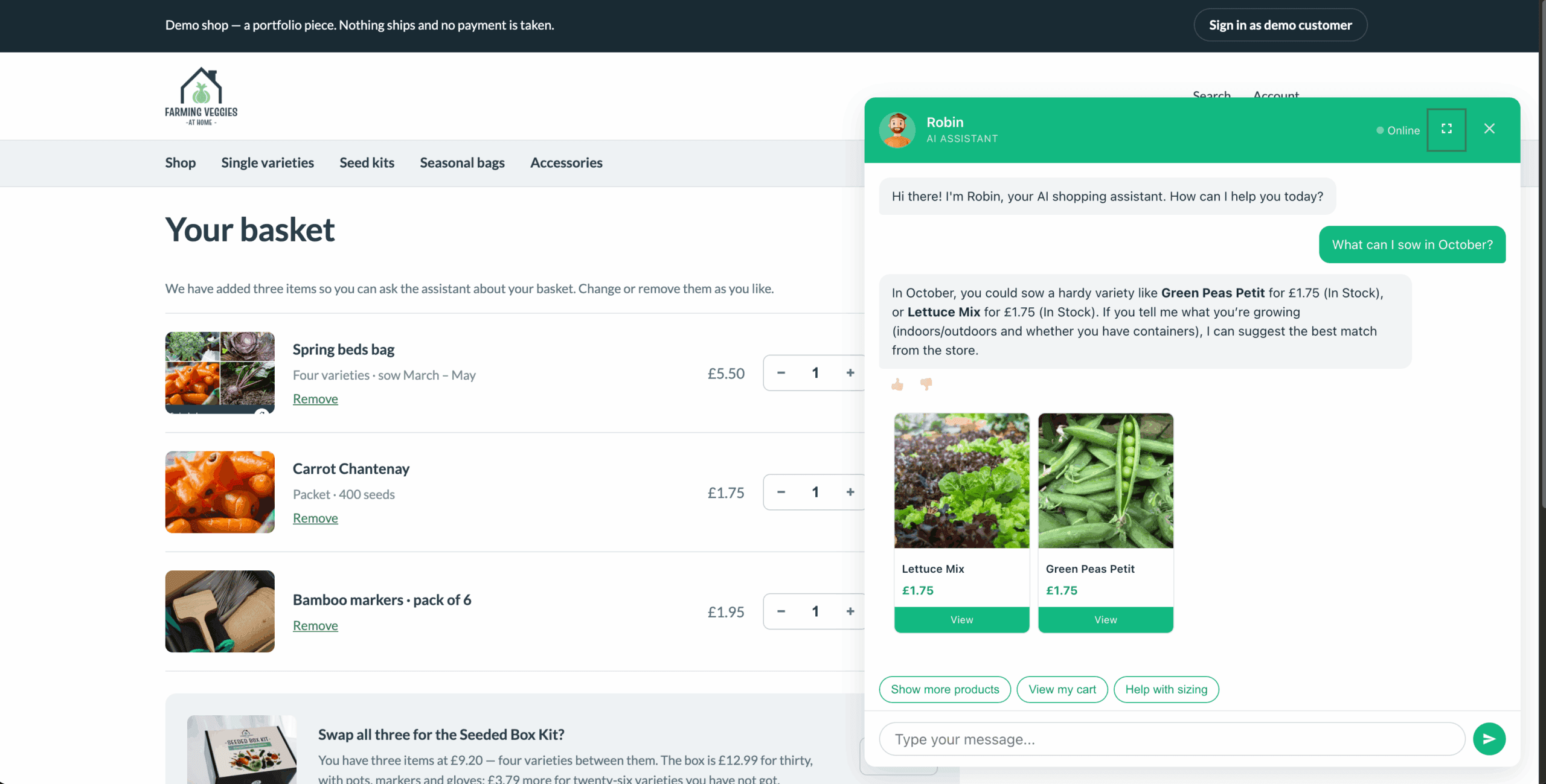
The second obvious move was generic sample data: import a few dozen products and let the assistant loose. That fails the assistant first. A model is only worth adding to a shop when a question needs judgement — what can I sow in October? — and a flat list of products with a price and a photo gives it nothing to reason from. The data had to carry the decisions a gardener actually makes.
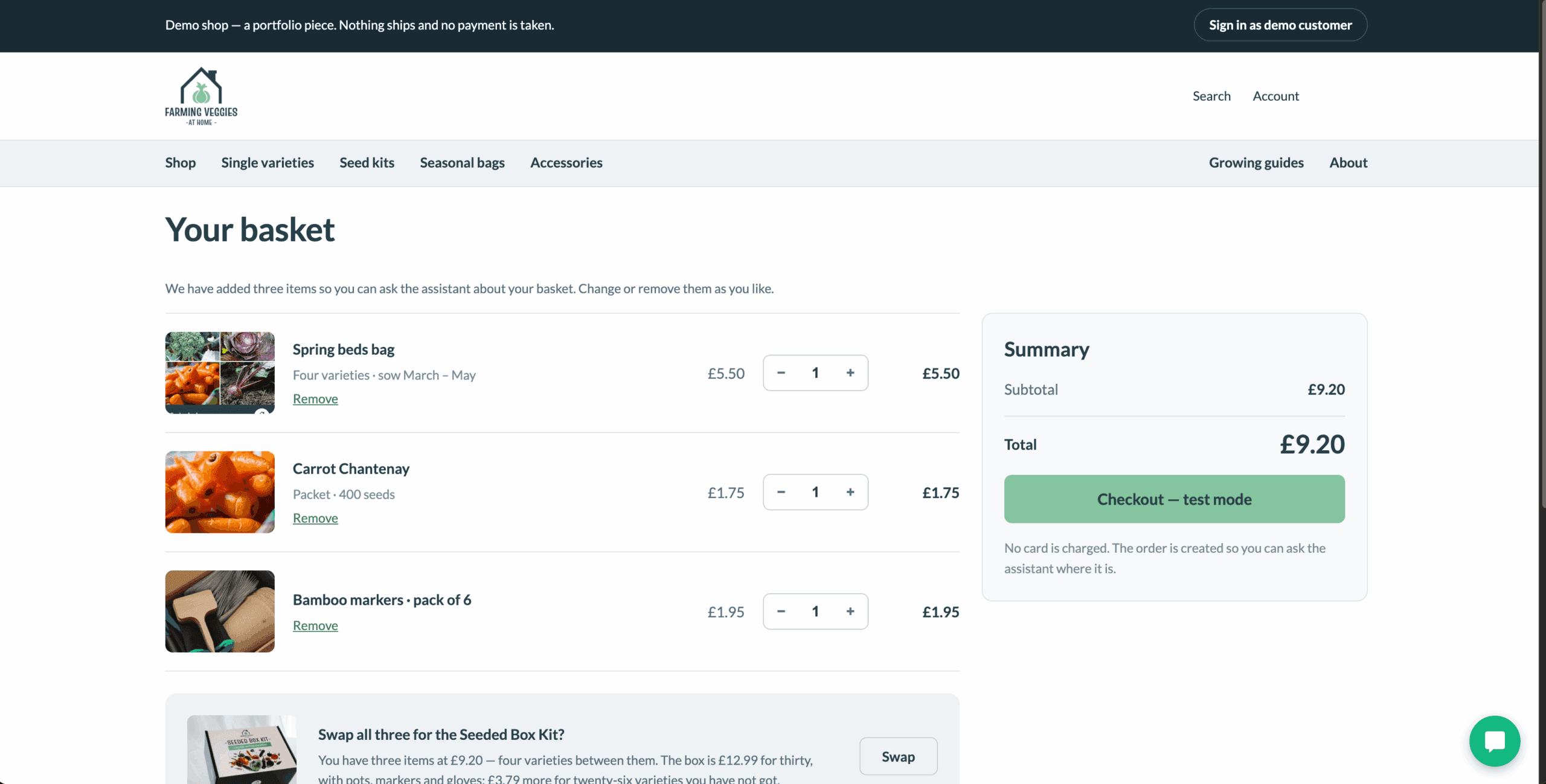
The third was WooCommerce’s default block-based basket and checkout. They work, but the basket I had designed does things they do not expose — an offer that does the arithmetic on swapping your items for the box, a nudge towards free delivery — so those two screens are classic templates overridden in the theme, where I control the markup.
What I did
Why did the scenario come before the design file?
Before opening Figma I wrote down what the shop had to make possible, working backwards from what the assistant can actually do in code: search the catalogue, answer from the site’s pages, read the live basket, look up an order through an authenticated route, and capture a lead with consent. The rule was simple — if a visitor cannot see one of those within a minute, it does not exist. The catalogue, the content, the navigation and the demo-customer button all come from that list.
A brand system rebuilt from a logo
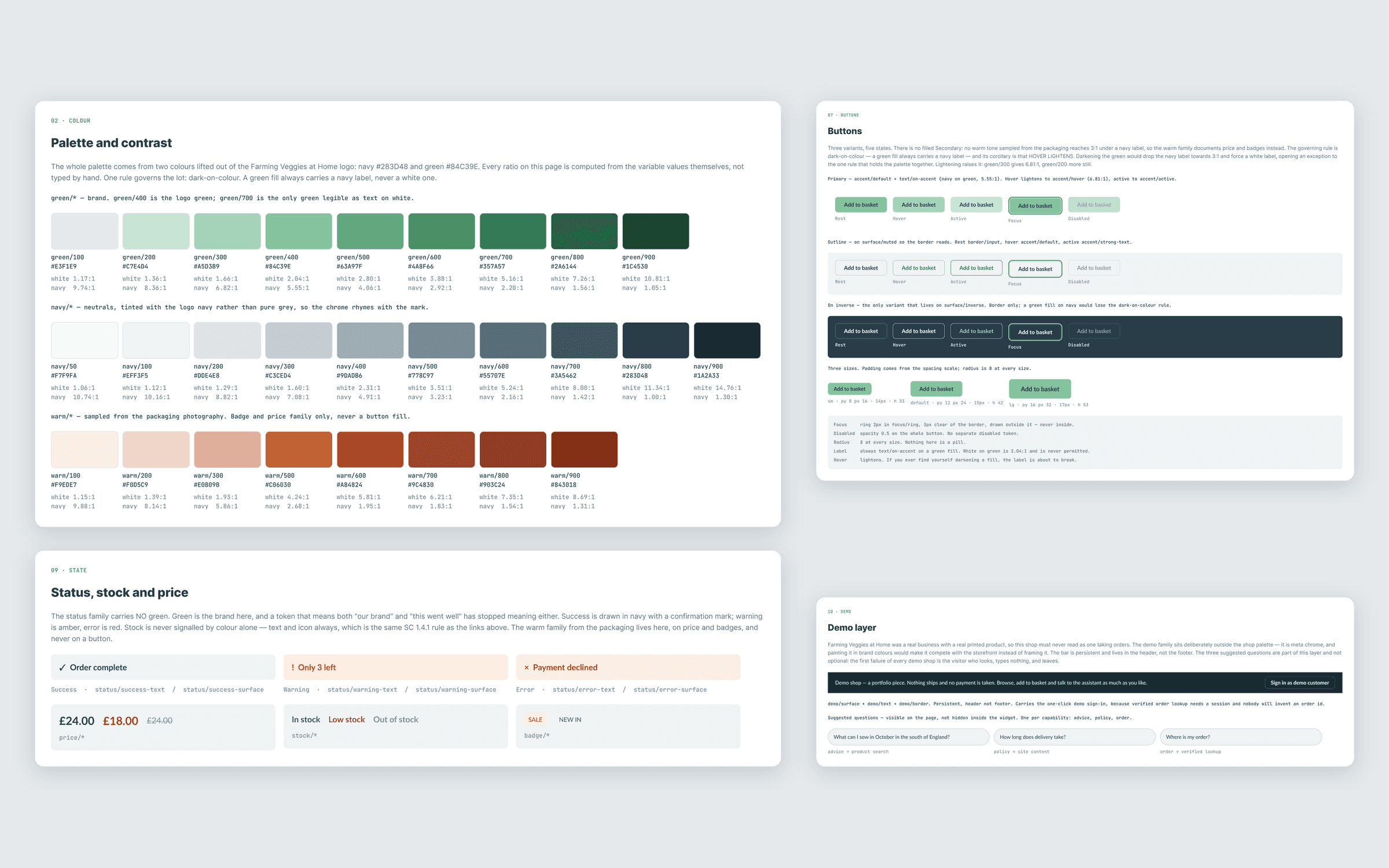
Only three things survived from the old brand, and I measured them rather than guessed: the navy and the green, sampled from the logo file, and Lato, read from the old theme’s settings.
The brand green fails as a button fill with white text, but with a navy label it reaches 5.56:1 — so the brand colour stays the primary action, and hover lightens rather than darkens, which raises the contrast instead of lowering it. And because green is the brand, the status colours carry none of it: “in stock” and “order complete” are drawn in navy, low stock in a warm rust, always with words, never with colour alone.
In Figma that became primitive ramps, a semantic token layer, text styles, documented foundations, and desktop and mobile screens for the home page, shop, product, basket, checkout, account, guides and about page.
How does the design reach the theme without drifting?
The theme’s theme.json is generated from the Figma tokens by a script, not written by hand: a new colour starts life as a token in Figma. On top of the WordPress Scripts and Sass build, custom lints check for colour literals, for values off the preset scale and for cascade layering, so a hard-coded value fails the build instead of waiting for a review. When the file and the code disagreed, the file won — and when the file itself held a value off its own scale, I corrected it in Figma too rather than carrying the exception into CSS.
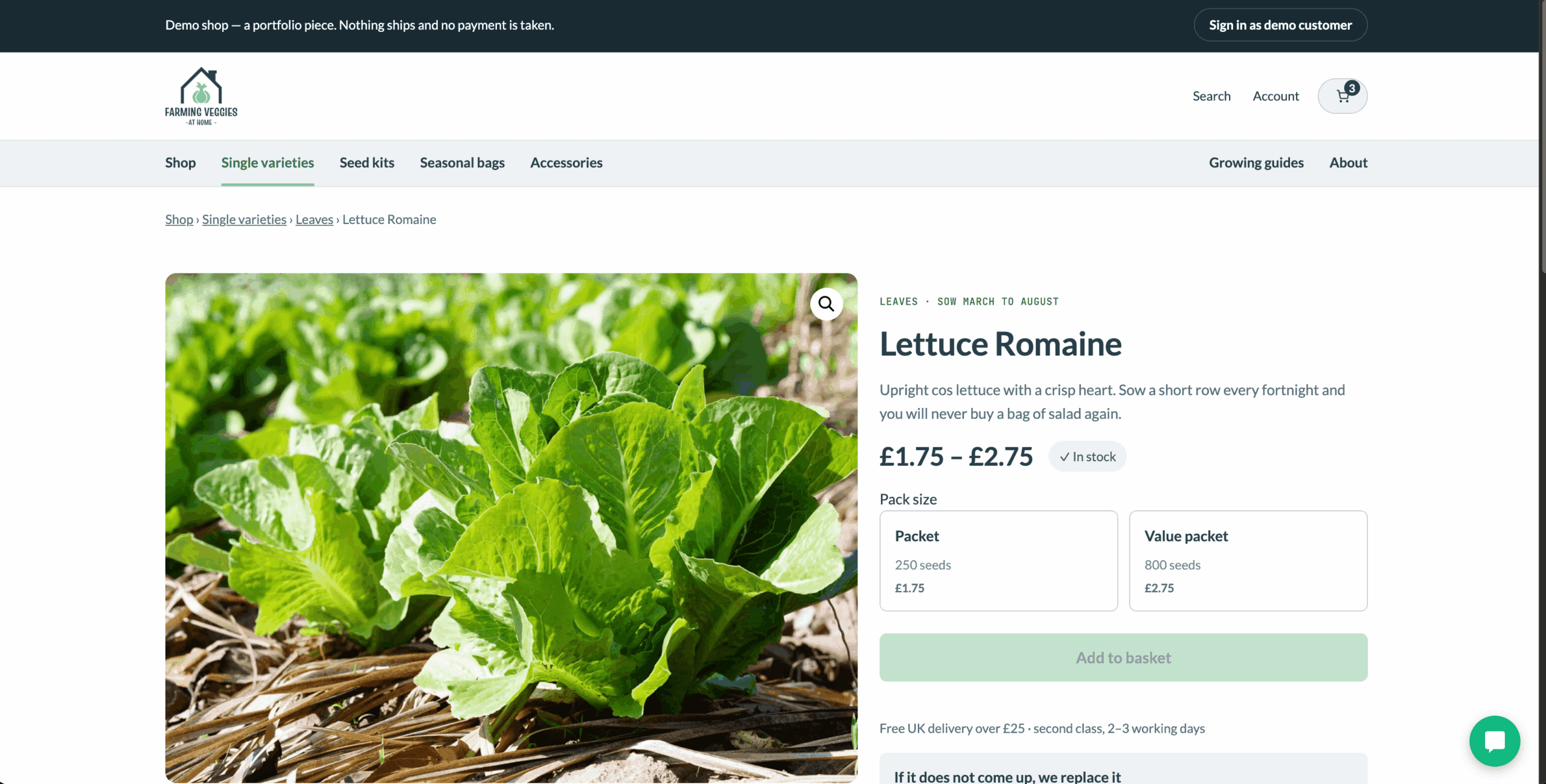
Where the core blocks stopped, I added small blocks and template parts rather than page-builder markup: the sowing calendar, the sowing window on each product card, pack sizes as selectable cards, and “Sown at the same time”, which relates varieties by the months they share.
A catalogue organised by when you sow
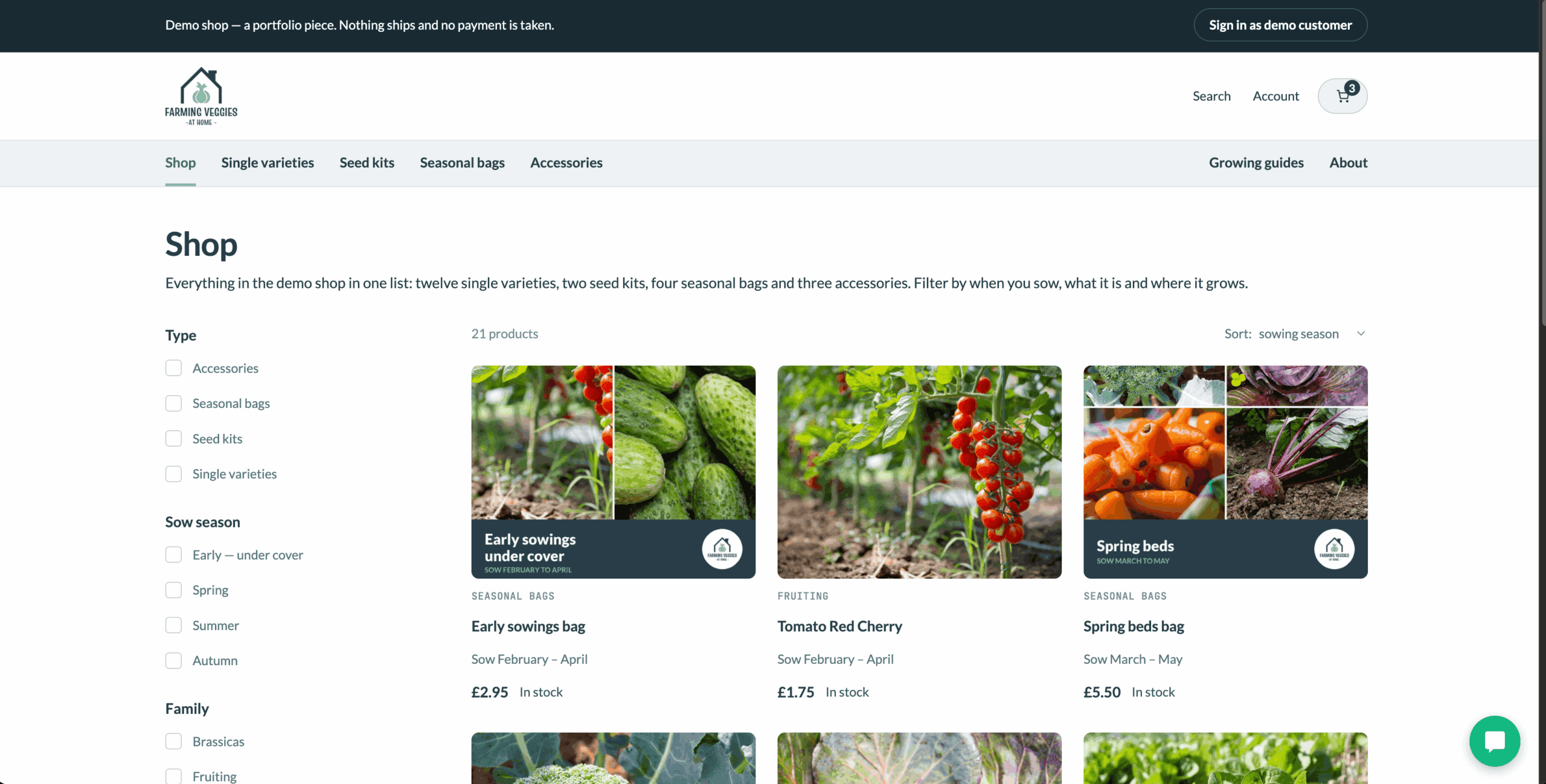
This is where the old business paid for itself. People do not buy seed when they sow it; they buy in autumn for spring. So the shop is merchandised by sowing window: four seasonal bags, each a subset of the box for one window; a shop listing that sorts by sowing season by default; and filters for season, type, family and situation — beds, containers, indoors, partial shade. The box stays at £12.99 because that is the price that held up against Amazon when it was a real product, and the rest of the price scale is anchored to it.
Every variety carries its sowing and harvest months, depth, spacing, germination time, aspect and whether it suits containers. Eight growing guides carry the reasoning, and each one lists the varieties it is about. That structure is what a shopper browses and what the assistant reads.
Making a demo usable in under a minute
- A persistent bar says it is a demo and that nothing ships and no payment is taken. The brand was a real business, so that cannot live in the footer.
- New visitors find three items already in the basket, so there is a basket to ask about.
- One click signs in as a shared demo customer with three sample orders, so where is my order? has a real answer.
- Checkout takes a test payment and the shop sends no email; the confirmation lives in the account area.
- Three suggested questions on the home page each exercise a different capability: advice, policy and order lookup.
What didn’t work first
The first product import broke variable products without a visible error. WooCommerce’s CSV importer separates attribute values with commas; my file used a pipe, so “Packet | Value packet” became one pack size, the selector rendered empty and nothing could be added to the basket. The log pointed at WooCommerce’s lookup table; the cause was the data. I repaired the terms in place with a script that runs as a dry run first, and corrected the source files so a re-import cannot bring the problem back.
The outcome
The shop is live at demo.trillai.io, running the published Trill AI Chat plugin against its own catalogue and pages. It is deliberately kept out of search indexes: it is a demo, and a former brand’s products should not compete in search as if they were for sale.
A first performance pass moved the home page’s Lighthouse performance score from 92 to 99 on desktop and from 67 to 77 on mobile, both measured in Chrome DevTools on 16 September 2026. Desktop is where I want it. Mobile is closer but not there: 77 is still below the 90 I treat as the floor, so the mobile work continues and this figure will be updated when it moves.
What this case study does not claim: sales, conversion or assistant usage figures. There is no real traffic to measure, and I will not publish numbers from a shop that does not sell.
What I learned
Write down what the shop has to answer before you draw it. The decisions that held up — merchandising by sowing window, a calendar on every product, guides tied to varieties — came from the scenario, not from a moodboard, and they serve someone browsing the shop exactly as well as they serve an assistant reading it. On a client build the questions come from customers and support tickets rather than from a plugin’s code, but the order is the same: the questions first, then the catalogue structure, then the screens.
What you can check in a couple of minutes
- Open demo.trillai.io and ask the assistant one of the suggested questions.
- Open any variety — the calendar, the growing attributes and the related varieties come from product data, not from copy.
- Go to the basket, read the arithmetic in the swap offer, then run the test checkout.
- Sign in as the demo customer and ask where an order is.
- Read the TrillAI Chat case study for how the assistant itself is built.
Tech Stack & Links
WordPress 7.1WooCommerce 11.1Block themetheme.jsonFigmaSassPHPTrill AI Chat